Your desk, in focus.
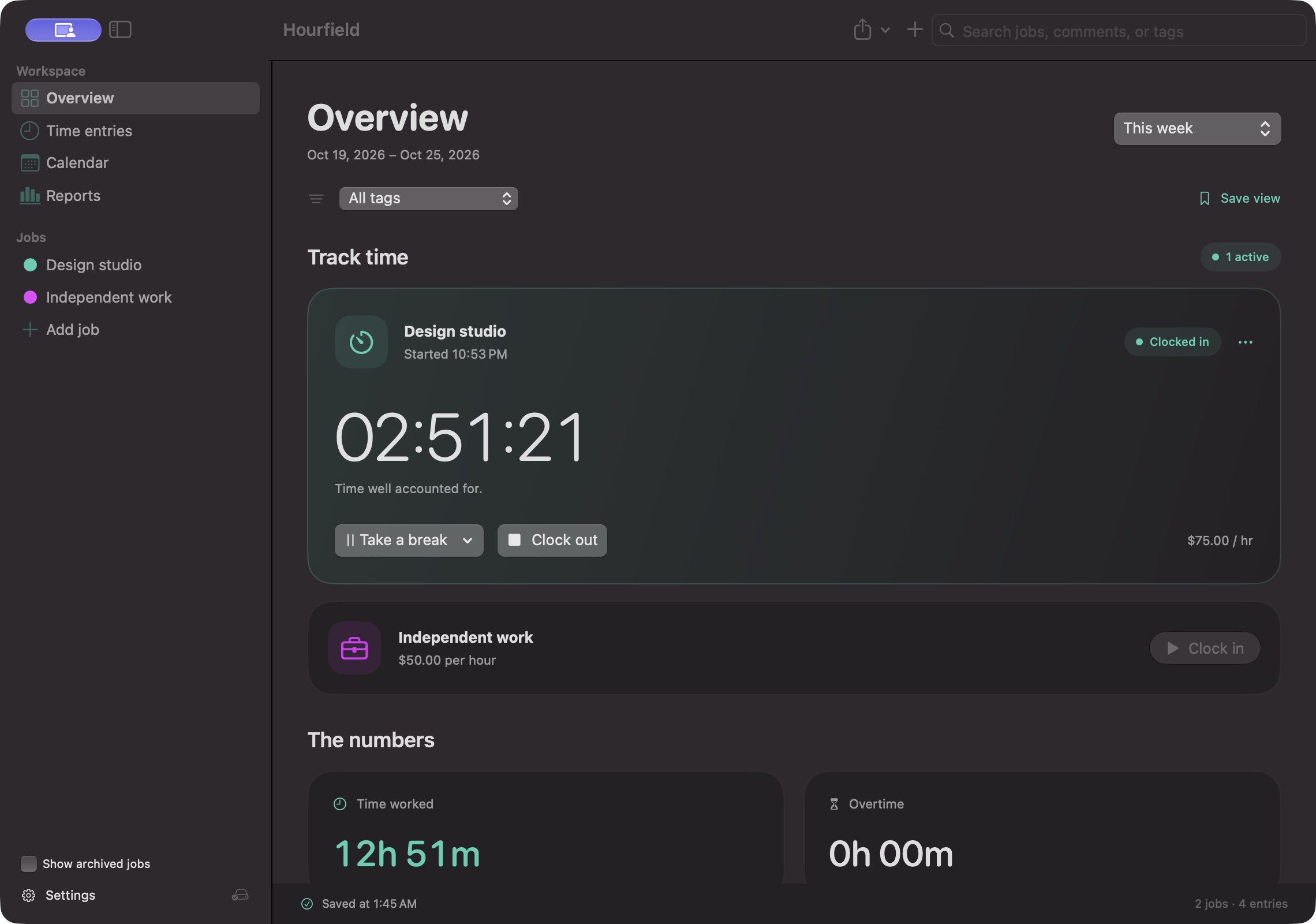
Manage jobs, review the calendar, and turn a week of work into a report. Quick controls live in the menu bar.
A clearer view of your working day.
Track your hours, understand your pay,
and pick up wherever you are.
AT YOUR DESK. ON YOUR WAY.
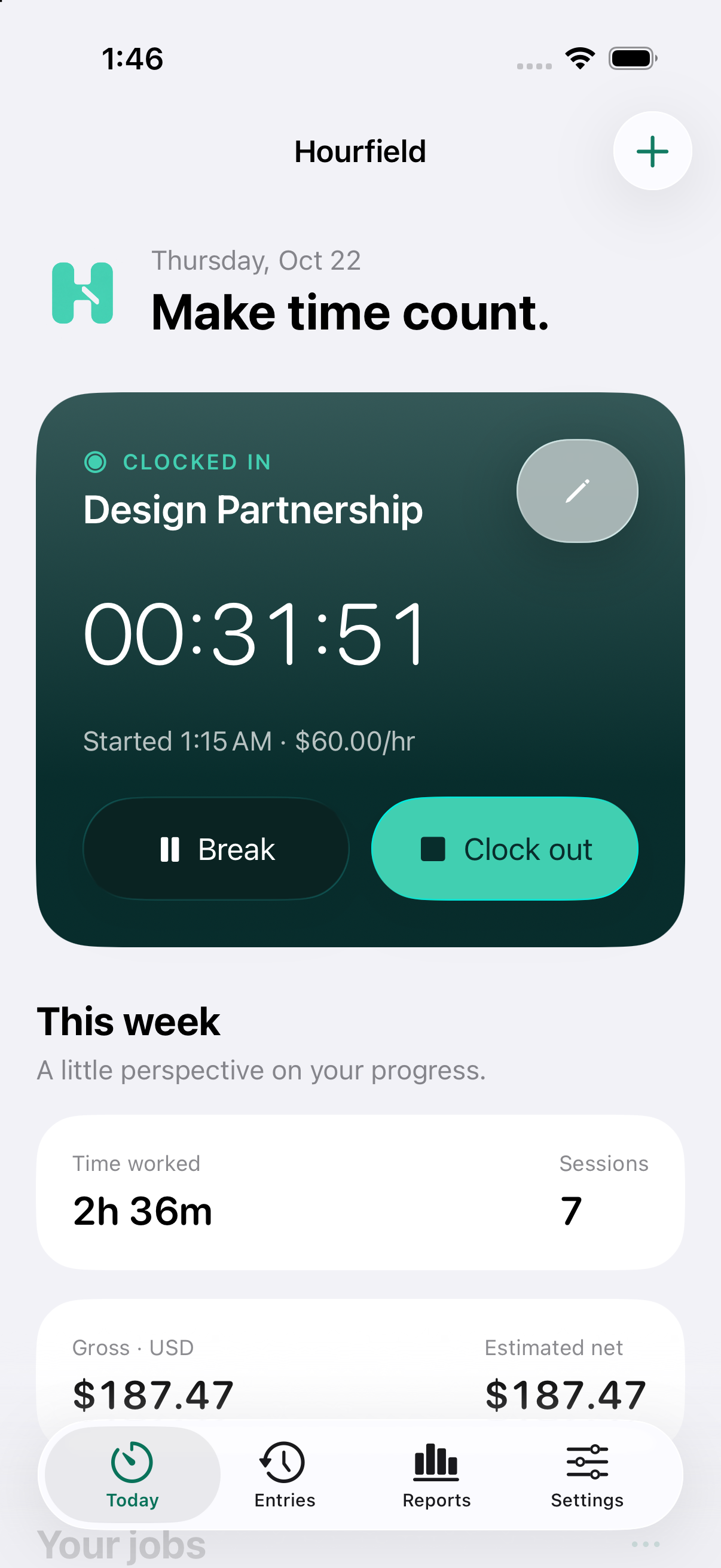
Room to review on Mac. A quick check on iPhone or iPad. A timer on your wrist. Each app is native, built for the way you use that device.
Manage jobs, review the calendar, and turn a week of work into a report. Quick controls live in the menu bar.
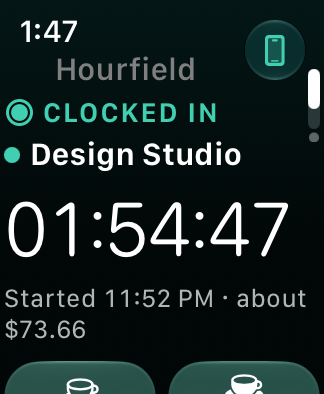
Clock in, take a paid or unpaid break, or clock out from your wrist. Actions wait safely until your iPhone confirms them.
LESS FRICTION. MORE CLARITY.
Clock in to one job or several. Take paid or unpaid breaks, add notes and tags, and correct an entry when the day needs it.
Hourly rates, overtime, pay periods, and tips, with each currency totaled on its own. Pay figures are estimates.
Reports, a calendar, and saved views. Import CSV or JSON with a preview first, then export CSV, JSON, Excel, or a text report, or print to PDF.
Records save on your device first and work offline. Every change keeps the previous version, with 30 kept as backups.
iCloud pairing is optional. Turn it on in Settings on Mac and iPhone or iPad, signed in to the same Apple Account. Apple Watch talks to its paired iPhone, which applies each action once and keeps the newest change.
A GOOD NEIGHBOR TO YOUR TOOLS
A Mac command line for you, your scripts, and your assistants. It reaches what the app can do: jobs, entries, timers, reports, printing, exports, imports, backups, iCloud pairing, and app navigation, with stable JSON output.
The signed Mac CLI is available for macOS 14 or later. It talks only to Hourfield Mac 1.1.0 build 3 or later running for the same user. Turn on Agent access in the app; a locked app stays locked. There is no background network server.
# Is the app open, unlocked, and allowing agents?
hourfield --json doctor# Read the week, then preview a change before saving it
hourfield --json reports summary --range weekhourfield --json --dry-run timer clock-in JOB_ID# Every reply has the same shape
{"schema":1,"ok":true,"data":{…},"error":null,"requestID":…}The CLI needs an invited, compatible Hourfield Mac build with Agent access. It cannot purchase or cancel App Store plans.
PLANNED APP STORE PRICING
Every plan includes full access on Mac, iPhone, iPad, a paired Apple Watch, and the Mac CLI under the same Apple Account.
$2.99/ month
Eligible new subscribers get a 14-day introductory trial. It automatically renews at $2.99/month unless cancelled before the trial ends. Cancel in Apple's subscription settings.
$29.99once
An immediate, one-time App Store purchase for lifetime access. No subscription or introductory trial is included.
Planned US dollar pricing through Apple's App Store. These products are not on sale yet. Purchases and subscription management happen in the app through Apple.

A CALMER WORKDAY STARTS HERE
Hourfield is in a private TestFlight beta. Apple reviews each platform's build separately.
There is no public download or TestFlight link yet. Invited testers will get an email from TestFlight when their build is ready.
Apple Watch requires the paired iPhone app. iCloud pairing is optional and keeps each person's records private. Screens show sample records.